Human-use Experience | SUPERMARKET SELF-CHECKOUT KIOSK

| Trying it out | ||||
 |
 |
 |
||
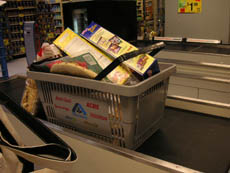
1. My local supermarket offers three self-checkout lanes manufactured by NCR. Two of them are intended for shoppers with 15 items or less. With my basket full of groceries, here we go! |
2. With the basket at the end of the conveyer belt, I press the “start” button on the touch screen monitor. |
3. A female voice prompts me to begin scanning items, and an instructional image appears on the screen to guide me. | ||
 |
 |
 |
||
4. Here's a box of pasta. The barcode scanner registers it easily with a “beep!”, and the machine reads out the item's price. |
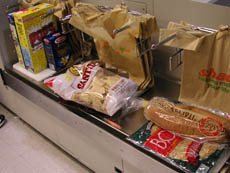
5. I place the pasta on one of the three white bagging areas available.
|
6. I keep going with other items. I brought my own shopping bag, so I’m not using any of the store’s plastic bags. Oh dear, the bagging area is getting full...
|
||
 |
 |
 |
||
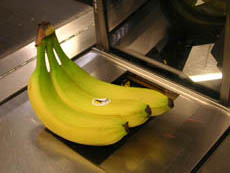
7. How about produce without barcodes? Here are some bananas, the scale registers 1.01lb. |
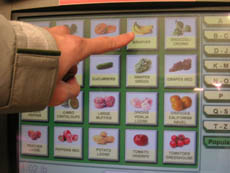
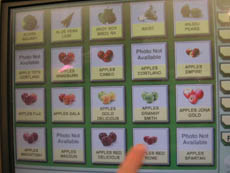
8. I can either look up item, or key in the product code. Let's try looking it up, since I don't know the code for these bananas. |
9. I use an alphabetical menu to find the price. That was pretty straightforward and easy! |
||
 |
 |
 |
||
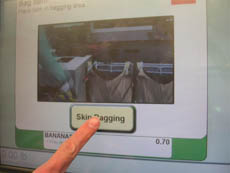
10. Since I'm running out of bagging space, I try “skip bagging”. I then change my mind and place the bananas on one of the bagging squares. This makes the machine rather unhappy and it triggers an error - "Bagging alert - unexpected item in bagging area. Remove item". OK, OK, I take the bananas away and put them back into my basket for now. |
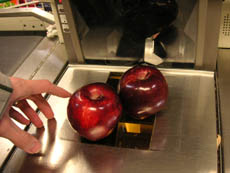
11. Now, let's try the same with some apples. |
12. The menu lists 13 types of apples! Hmm, which are these? Definitely not the granny smiths... let’s just select one. |
||
 |
 |
 |
||
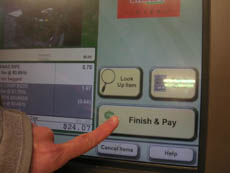
13. That's all I have, let's finish and pay. |
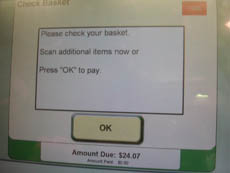
14. I'm given a chance to check my items. Everything looks OK. |
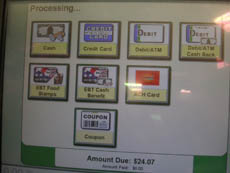
15. Wow, there are 8 different options of payment. I'm going to pay by credit card today. Now it's telling me to slide my credit card, where do I do that? | ||
 |
 |
 |
||
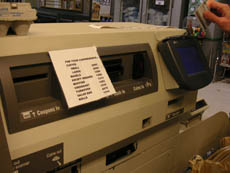
16. I notice a sign, and pause to read it – oh, it's telling me the codes for commonly purchased products. I don't need these codes now. |
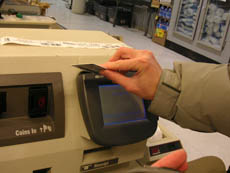
17. There's the payment machine, it’s a little further on the right. I slide my card obediently. A graphic appears on the monitor, asking me for a signature. |
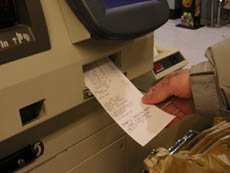
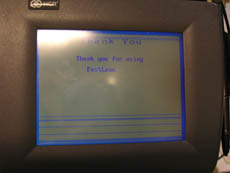
18. After signing, the receipt is churned out below. That's the end of the machine process. |
||
 |
 |
 |
||
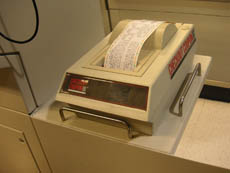
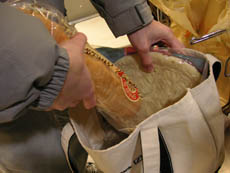
| 19. Wait, is that another receipt? No, it's some random coupons. | 20. With that , I start bagging my items in my own bag. |
21. Total time taken for 17 items: 5 minutes. I wonder if it would have been faster if I went to a cashier... Then I remember – oops! I forgot to scan my club rewards card for discounts! Oh well. |
||
| << Back to machine description |  |
|||